Claude Insights
Open Source · MIT

See inside
Claude's mind

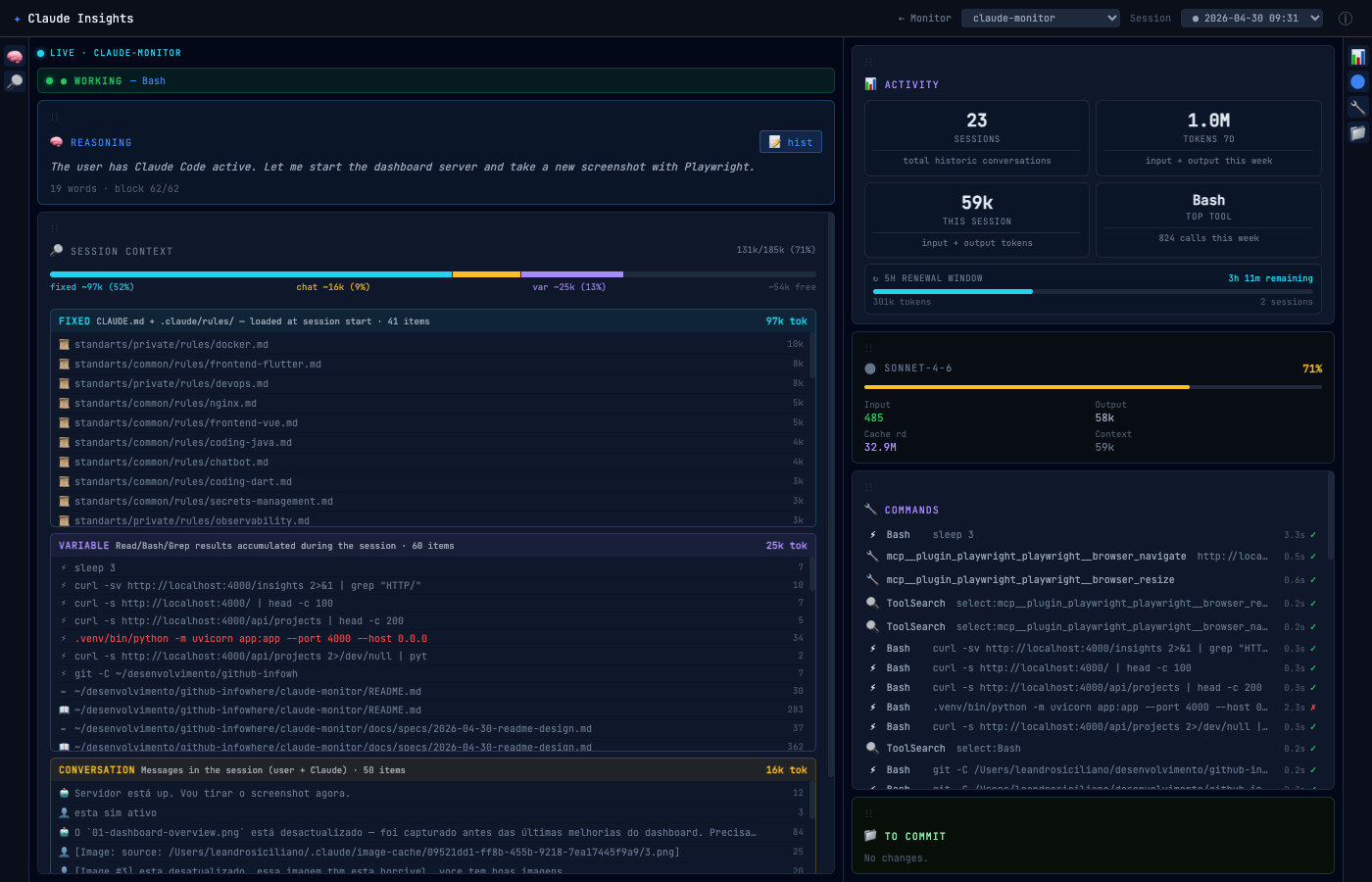
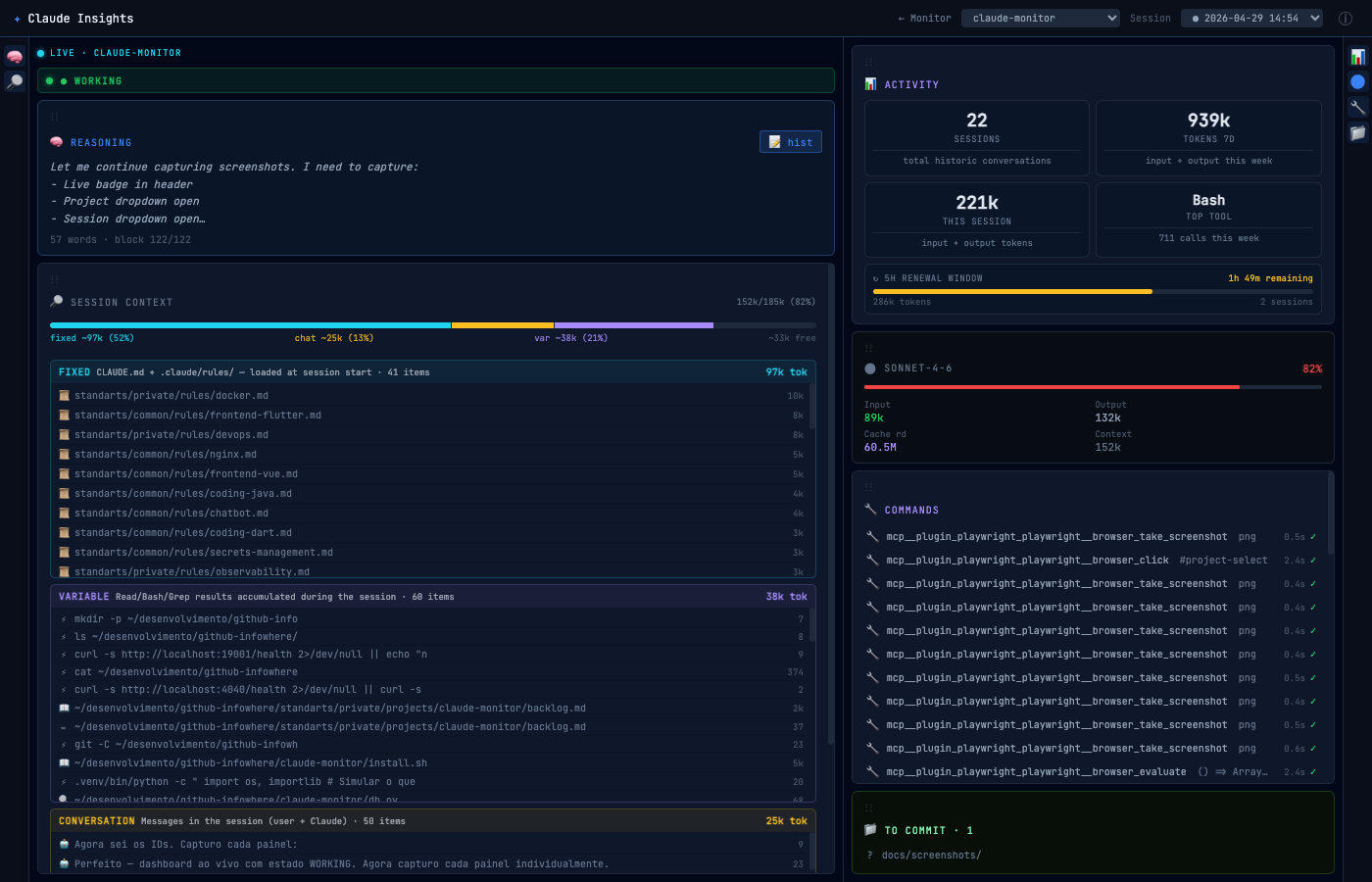
Real-time dashboard for Claude Code sessions — live status, token usage, reasoning history, and git changes across all your projects.

Homebrew brew install claude-insights
Other methods ↓
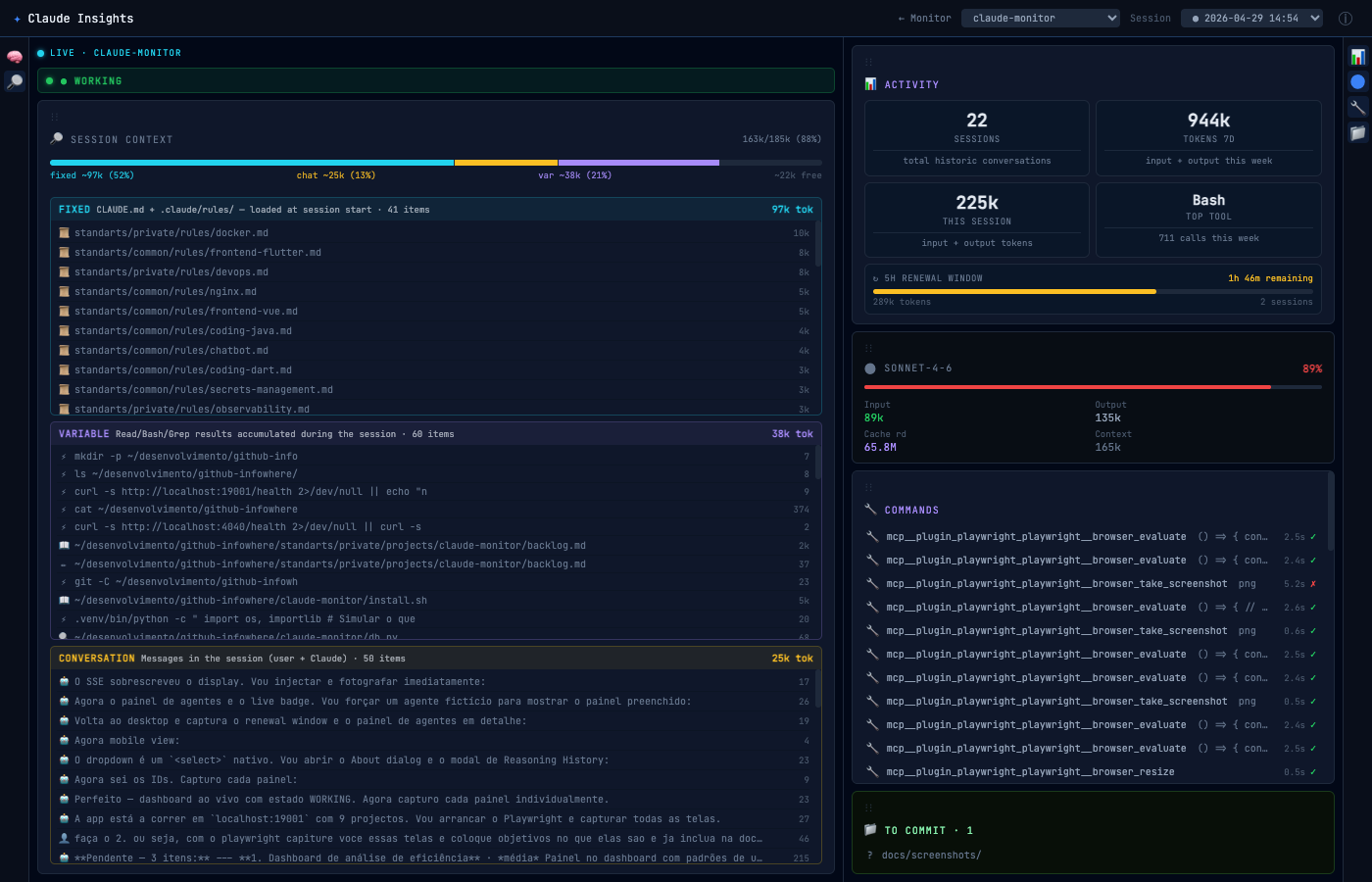
Claude Insights dashboard — live session

Features

Everything you need to understand what Claude is doing

All data stays on your machine. No cloud, no tracking, no accounts.

🟢

Live Status

Current state in real time — working, waiting for input, compacting, idle. Shows the exact tool name as it executes.

🧠

Reasoning Visibility

Claude's internal thinking streamed live as it arrives. Full reasoning history browsable across the entire session.

📊

Context Window

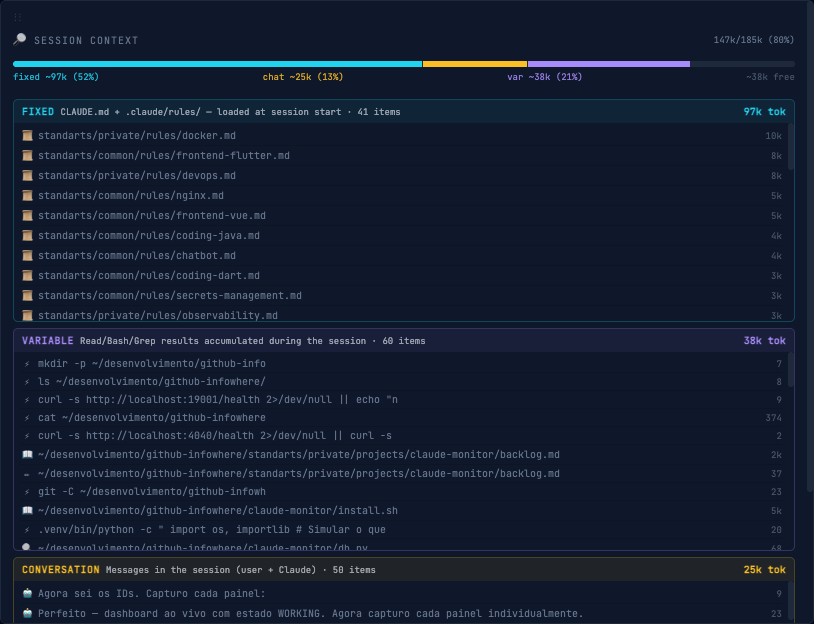
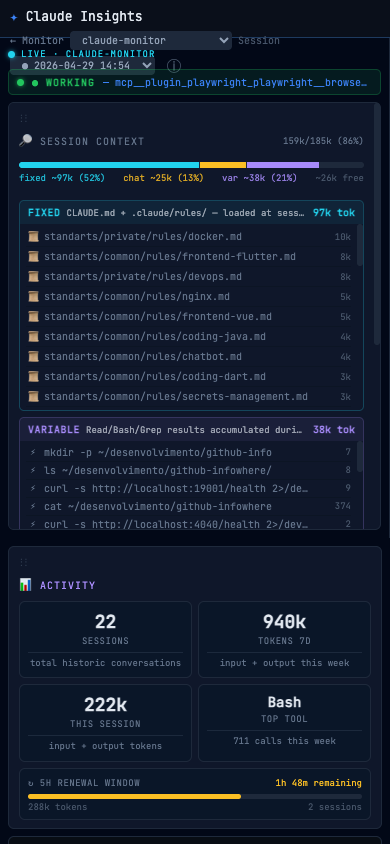
Full breakdown of what's consuming your context — fixed rules, conversation, and accumulated tool results with token costs.

🪙

Token Usage

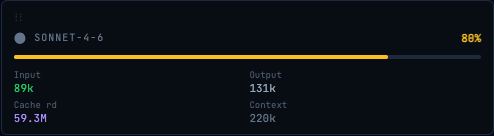
Input, output, and cache reads per session. Tracks the 5-hour renewal window so you know when limits reset.

Command History

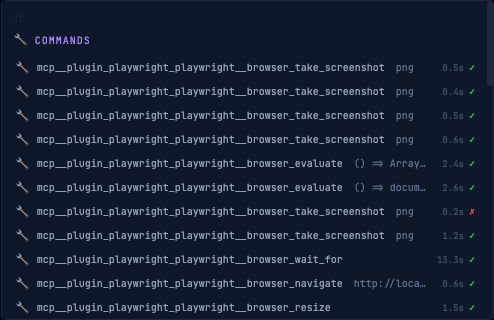
Every tool call with path, duration, and success or failure. See exactly what Claude touched and how long it took.

📂

Git Diff Viewer

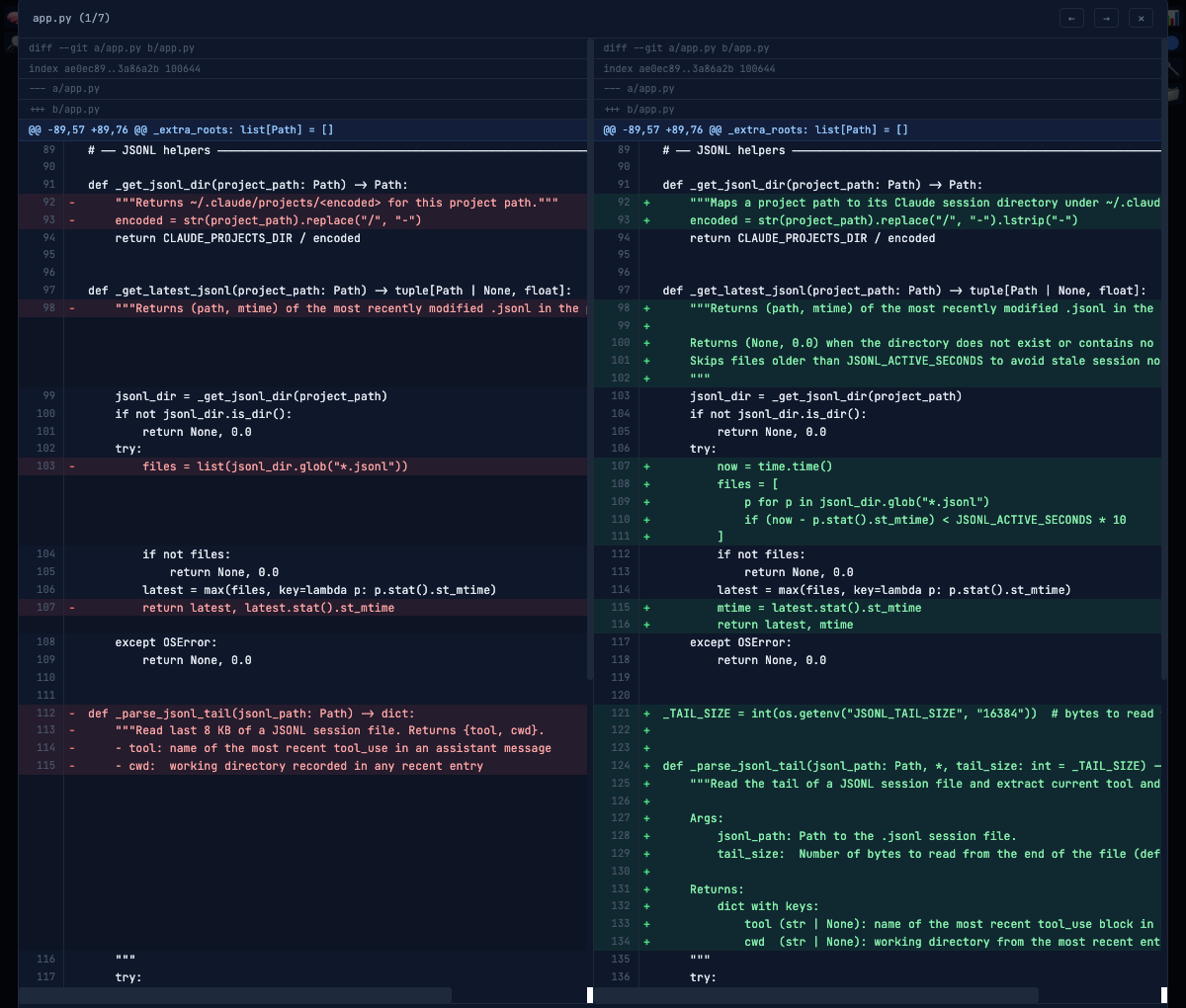
Uncommitted changes at a glance. Click any file for a side-by-side IntelliJ-style diff without leaving the browser.

🗂️

Multi-Project

Monitors every project under a root folder simultaneously. Auto-discovers any directory with a .claude/ folder.

🕐

Session History

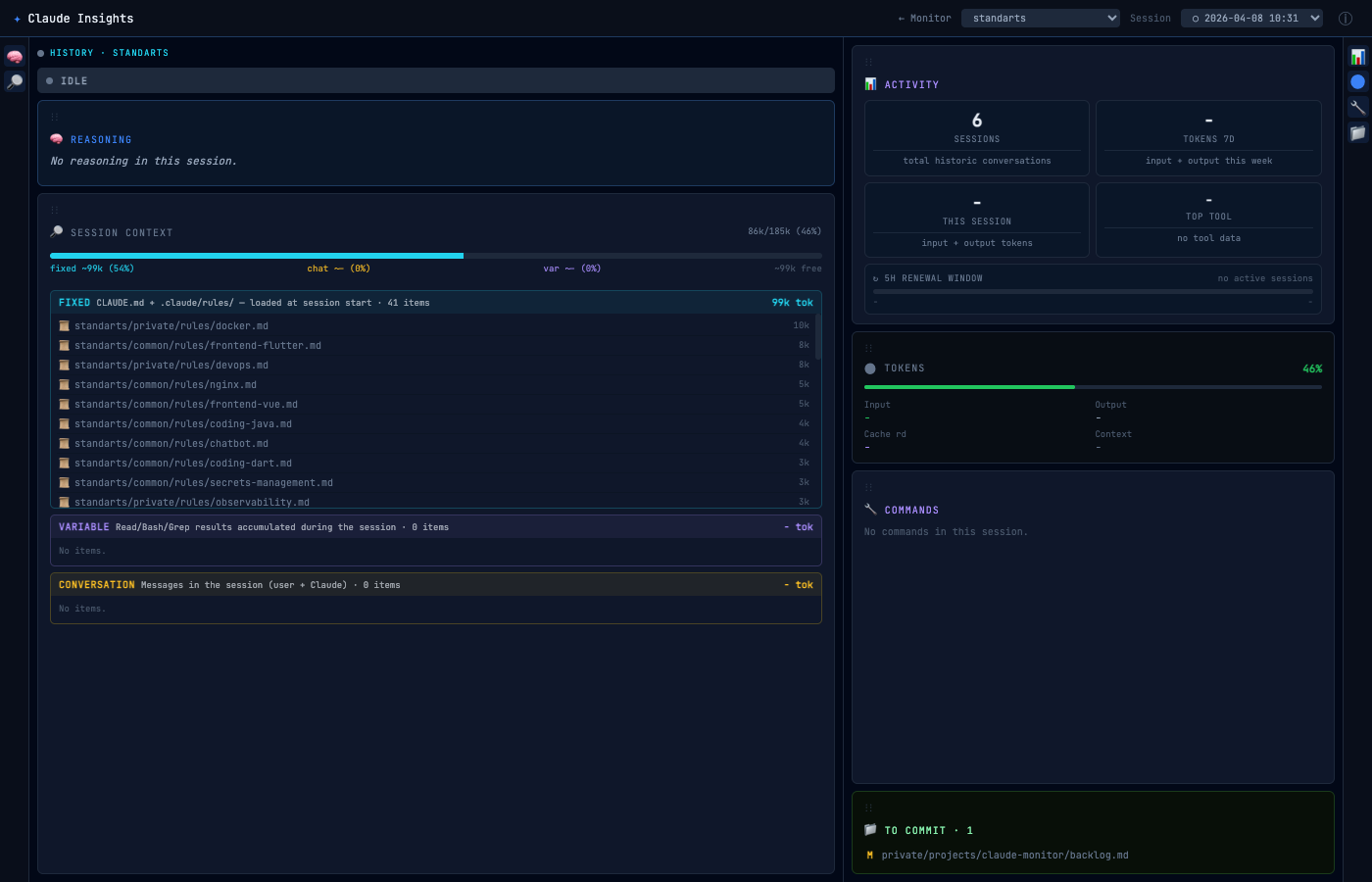
Browse and replay past sessions — events, reasoning blocks, and tool calls — while a live session runs in parallel.


Your IDE's diff view.
In the browser.

Claude Code changes dozens of files per session. Review every uncommitted change side-by-side, with syntax highlighting — without leaving the browser. But that's only half of it.

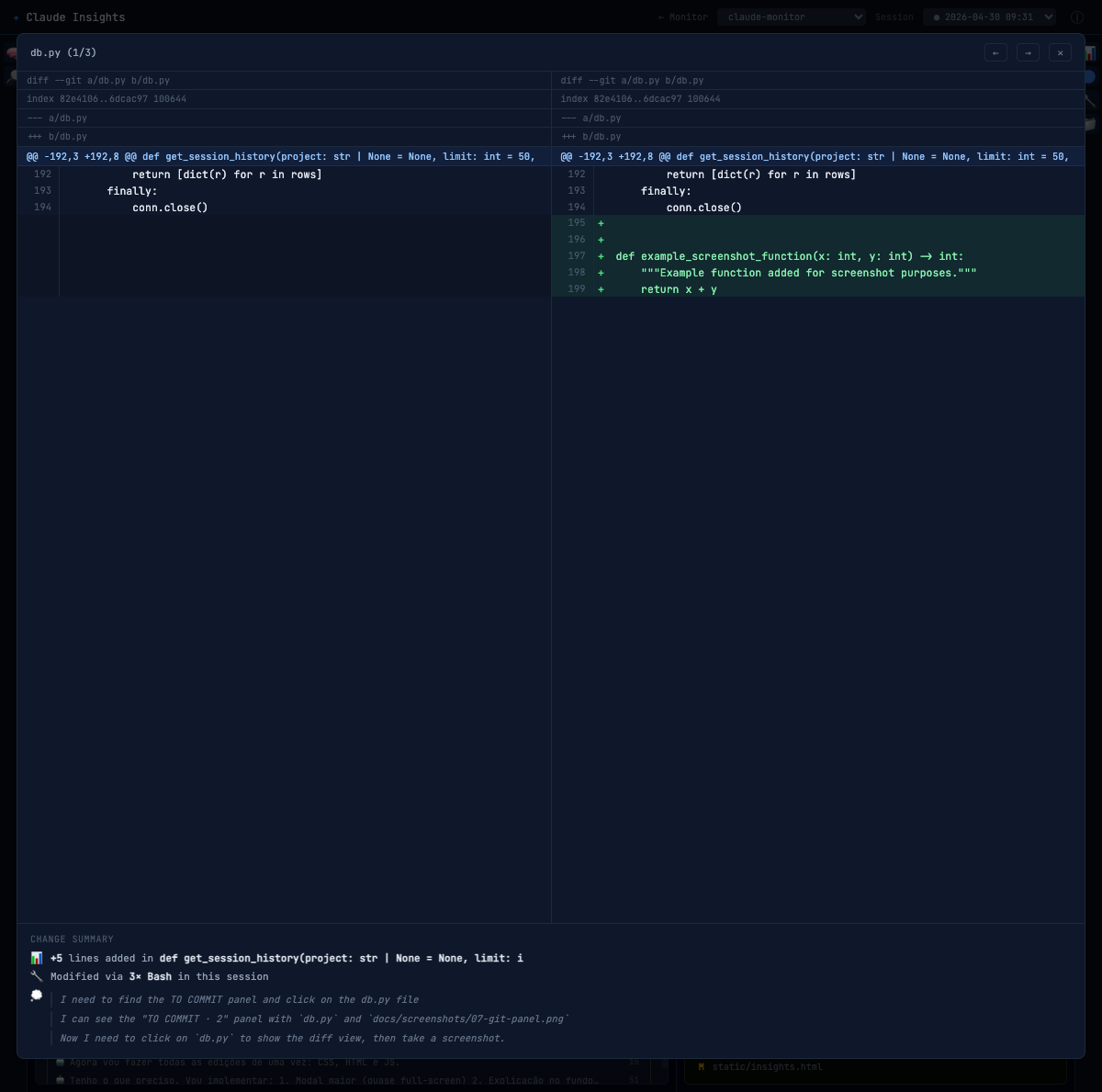
Below every diff, a Change Summary tells you exactly what caused it: how many lines were added or removed, which tool made the change, how many times — and the reasoning Claude was following when it happened. No other tool gives you this.

Git diff viewer

Reasoning

Claude thinks out loud.
You watch live.

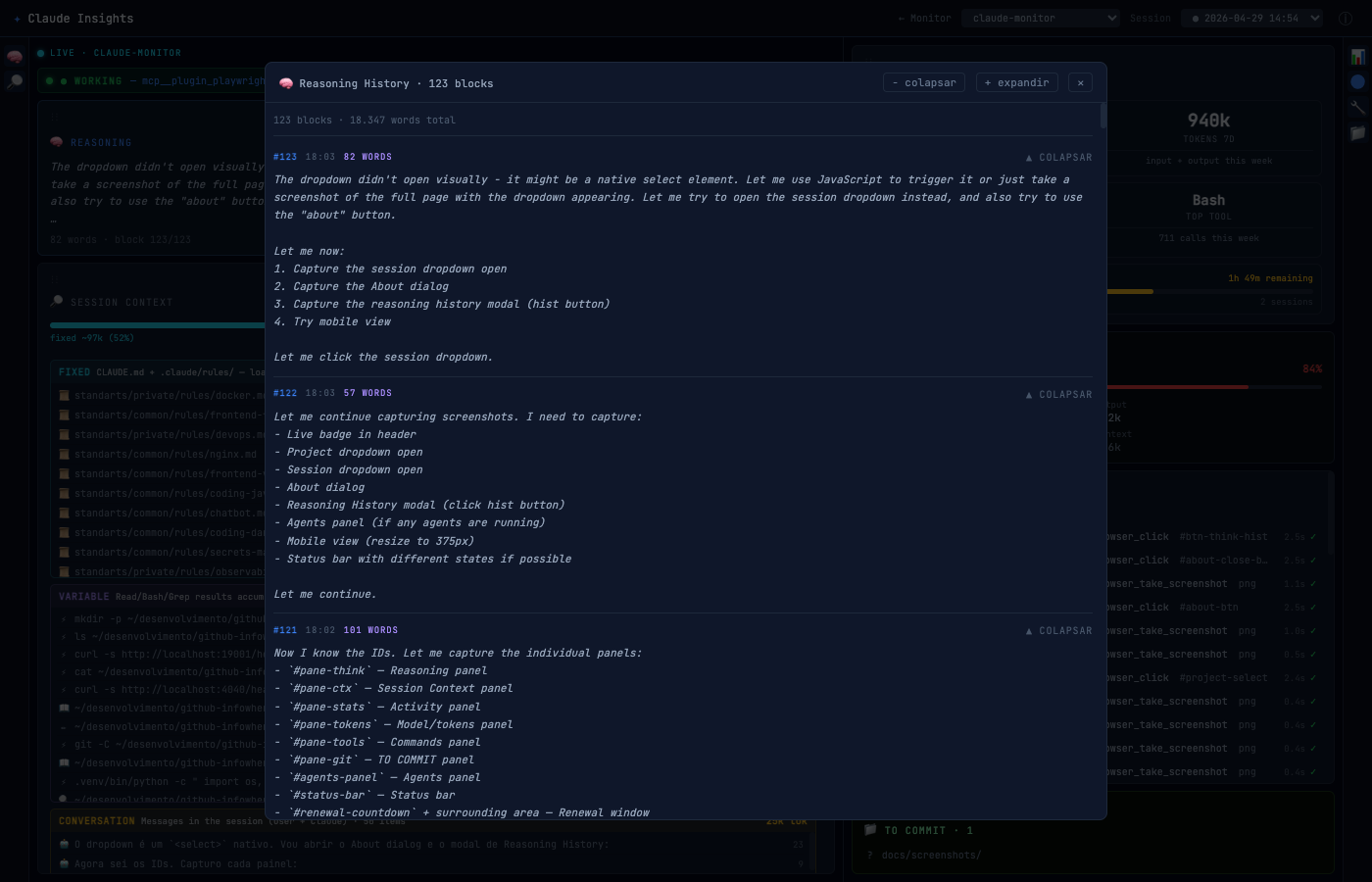
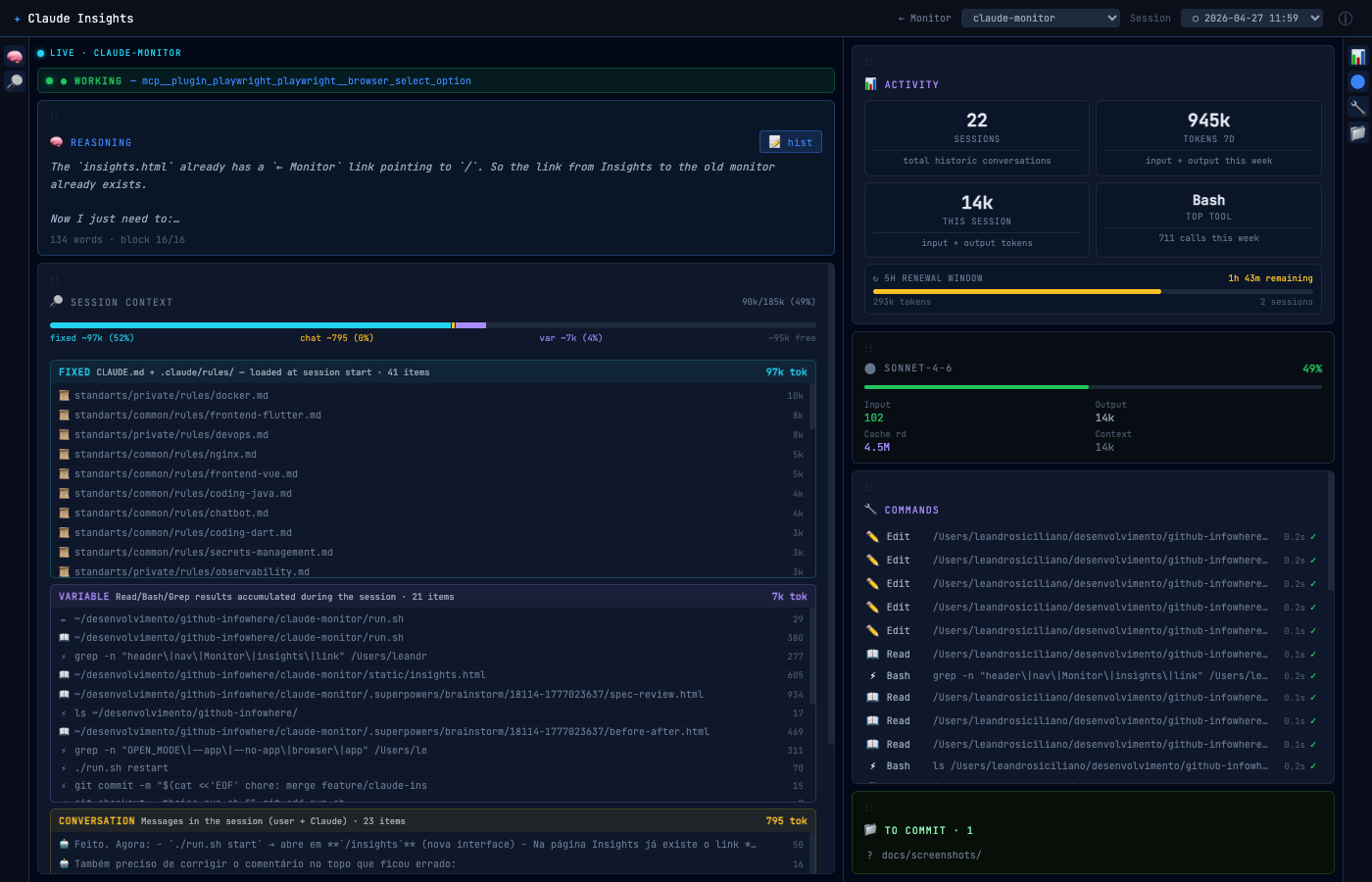
Claude's internal reasoning is normally invisible. Not here. Every thought block streams to you in real time as Claude works — you see the plan before the tool call happens. You'll catch wrong assumptions before they cost you ten minutes.

Full reasoning history stays browsable across the entire session. Word count, block number, timestamp — everything you need to follow the logic end to end.

Reasoning panel — live thinking stream

Context window

Know exactly what's
eating your context.

Every token counts. Claude Insights breaks your context window into three categories: fixed rules loaded at session start, the growing conversation, and accumulated tool results. Token costs shown for each — so you know what to cut.

You'll see compaction coming before Claude hits the wall. Act early, not after the context is gone.

Context window breakdown

To commit

Every file Claude touched.
Before you commit.

Claude changes dozens of files in a session. The To Commit panel lists every uncommitted change at a glance — across your entire project, updated live as Claude works.

Click any file to open the side-by-side diff viewer. No terminal, no git status, no context switch. Review what actually changed and decide what goes in the commit.

Git panel — uncommitted files

Token usage

The 5-hour clock.
Always visible.

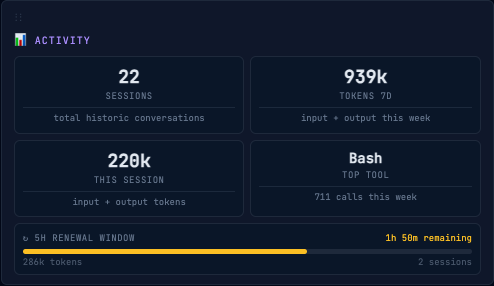
Claude Code resets token limits every 5 hours. Most people discover this mid-session when things stop working. Claude Insights shows you exactly how many tokens you've used, how many sessions are active, and how much time is left in the current window.

Plan your work around the reset. Not around the surprise.

5-hour token renewal window

How it works

Hooks + SSE. That's it.

No cloud services, no background processes, no daemons. A small shell script and a local server.

Claude Code → hook fires → .claude/status.json Claude Insights (SSE) browser
1

Claude Code fires hooks

Before and after every tool call, on notifications, on stop — Claude Code calls monitor-hook.sh.

2

Hook writes a JSON file

The script writes .claude/status.json inside the current project directory with the current state.

3

Server streams updates

Claude Insights watches those files and pushes changes to the browser via Server-Sent Events — no polling.


Installation

Up and running in 3 steps

Choose your preferred install method. All of them install the same tool.

🍺

Homebrew

macOS — recommended
brew tap infowhere-ai/claude-insights && brew install claude-insights
🐍

pipx

macOS & Linux
pipx install claude-insights

curl

any platform — one-liner
curl -fsSL https://raw.githubusercontent.com/infowhere-ai/claude-insights/main/install.sh | bash

Quick Start

1
Activate hooks

Sets up ~/.claude/hooks/monitor-hook.sh and registers it for 5 Claude Code events. Existing hooks are never touched.

claude-insights install
2
Restart Claude Code

Required for the hooks to activate in any open sessions.

3
Start the dashboard

Opens at http://localhost:4000

claude-insights start